Save each app separately.
Give each compatible app its own HTTP or mixed proxy host and port. Launch it with the saved settings.
HTTP PROXY
127.0.0.1:7890 Local Route Launcher
Save a separate local HTTP proxy host, port and installation path for compatible ChatGPT, Antigravity App and Antigravity IDE. Choose an app to launch without changing system proxy or DNS.
macOS 13+ / Apple Silicon · Windows 10 22H2 / 11 x64
For detectable Electron versions of ChatGPT, Antigravity App and Antigravity IDE.
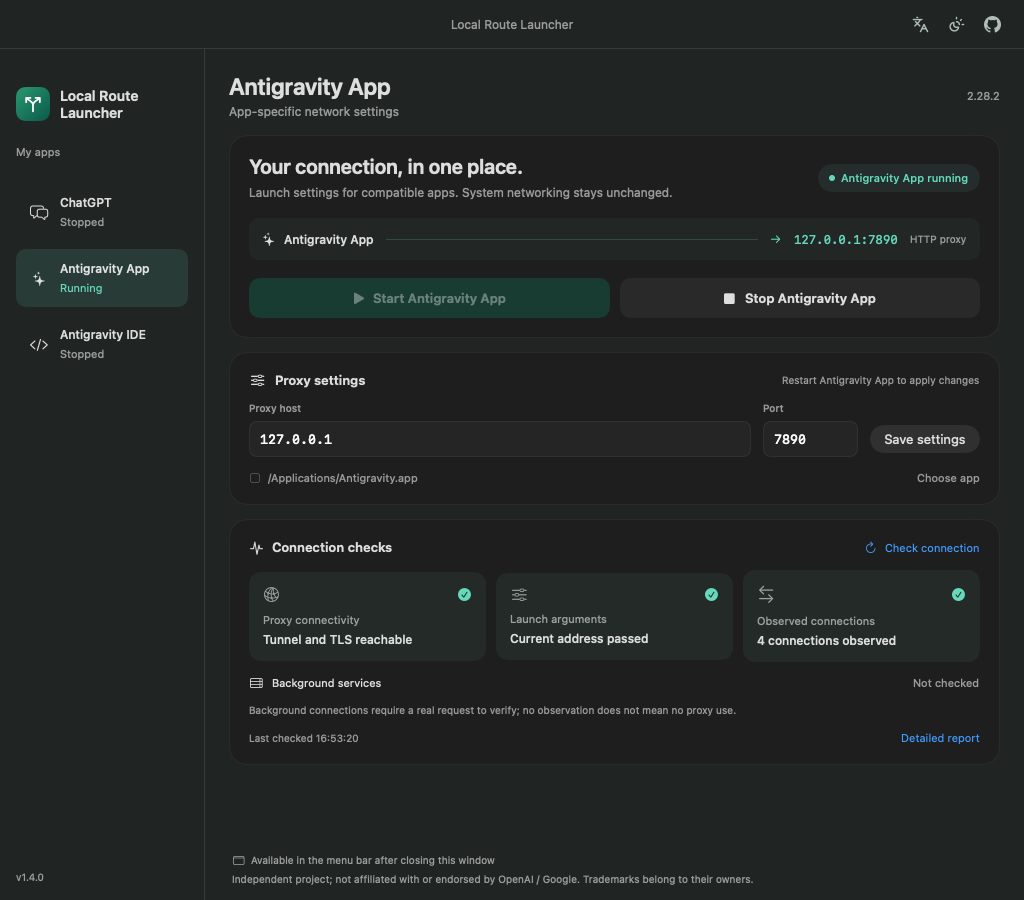
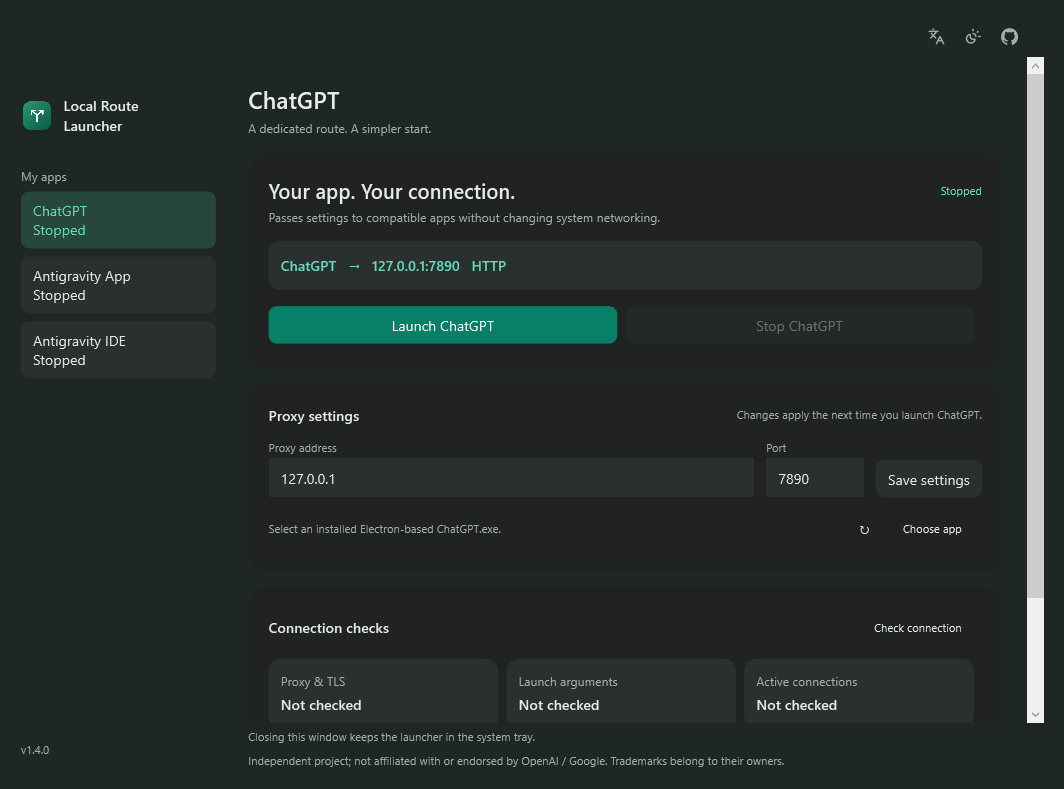
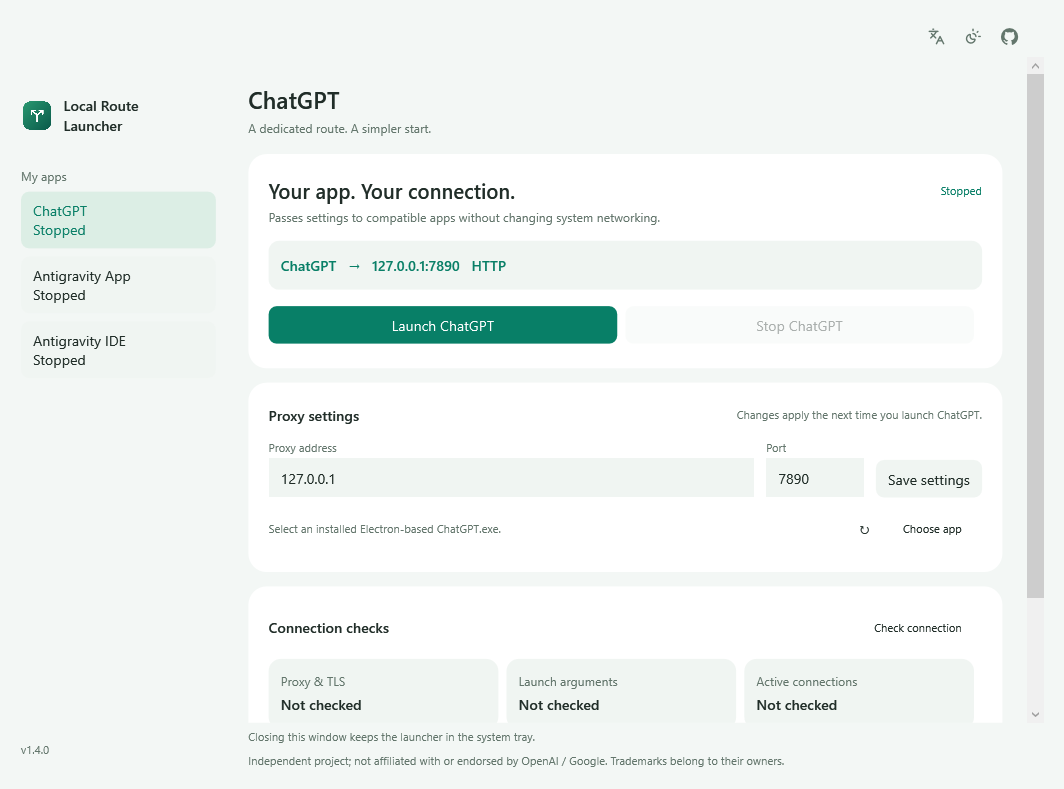
Windows interface preview, rendered with default settings.
The everyday controls, together.
More room for the work that matters.
Give each compatible app its own HTTP or mixed proxy host and port. Launch it with the saved settings.
127.0.0.1:7890Start, stop, and check status from the macOS menu bar or Windows system tray. Closing the main window hides its Dock or taskbar entry.
Inspect proxy connectivity, launch arguments, and actual TCP connections, with a local report to help you troubleshoot.
On Mac, drag the DMG app to Applications. On Windows, run the EXE installer; no separate runtime is needed.
Choose your language in the launcher.
Keep an authorized local proxy running.
Enter the app’s host, port and installation path.
Fully quit the target app, then reopen it through the launcher to apply its settings.
Use the launcher for future launches too. Restart the selected app after changing its settings.
Choose the target app and save your existing HTTP proxy host, port and app path. Fully quit that app, then open it through the launcher. Each app has separate settings; system proxy and DNS stay unchanged. Restart the selected app after changes. The launcher does not provide a proxy service.
The Windows installer bundles the .NET desktop runtime, so no separate runtime download is needed after installation. The macOS edition uses system-provided SwiftUI and AppKit frameworks, keeping its download smaller.
Run the x64 EXE installer for your current user. The app bundles .NET, includes nine interface languages, and stays in the system tray when closed. Choose a compatible target-app EXE if automatic detection finds nothing. Windows builds are unsigned and may show SmartScreen; verify the release source and SHA-256, and keep system protections enabled. Follow your administrator’s installation policy.
Detectable compatible Electron builds of ChatGPT, Antigravity App and Antigravity IDE are supported on Apple Silicon Macs with macOS 13+, and Windows 10 22H2 / Windows 11 x64. Intel Macs, Windows ARM64 and older native ChatGPT builds are not supported; restricted Store packages may not permit direct launch. The main window and menu/tray panel offer nine interface languages.
Yes. The launcher uses an existing HTTP or mixed proxy port; it does not provide a proxy service. Keep a proxy you are authorized to use running. Routing depends on the target application’s support for these settings. Proxies requiring username/password authentication are not supported.
That is not guaranteed. The launcher uses proxy mechanisms supported by compatible apps, primarily covering Chromium HTTP, HTTPS and WebSocket requests. Voice, WebRTC, UDP and some background processes may not follow these settings. Connection checks are snapshots and cannot prove that all traffic uses the proxy.
The app is ad-hoc signed, but is not Developer ID signed or notarized by Apple. After verifying that it came from this project’s GitHub release page, allow it in System Settings → Privacy & Security. You do not need to disable SIP or system security checks.
Choose each app in the sidebar and save its own proxy host, port and installation path. Fully quit the app, then launch it through the launcher. The two profiles are separate from ChatGPT. Check background-service connections again after a real request.
An update badge appears only when GitHub has a newer stable release with an installer for your platform. Clicking downloads it in your default browser; you run the installer yourself. Offline or current versions show no badge.
The launcher does not read or store target-app passwords, cookies, tokens or conversations. There is no telemetry or automatic upload, and settings stay on your computer. Connection checks send a credential-free HEAD request to the selected service through your proxy. Read the privacy policy ↗
Choose the app you want to open. Its proxy settings, installation path and connection checks stay separate.
Save dedicated launch settings for a compatible desktop build.
Keep its own proxy and app path, then start or stop it as needed.
Use a separate profile and inspect connection and background-service snapshots.
A small, free, open-source tool for a smoother day on your computer.